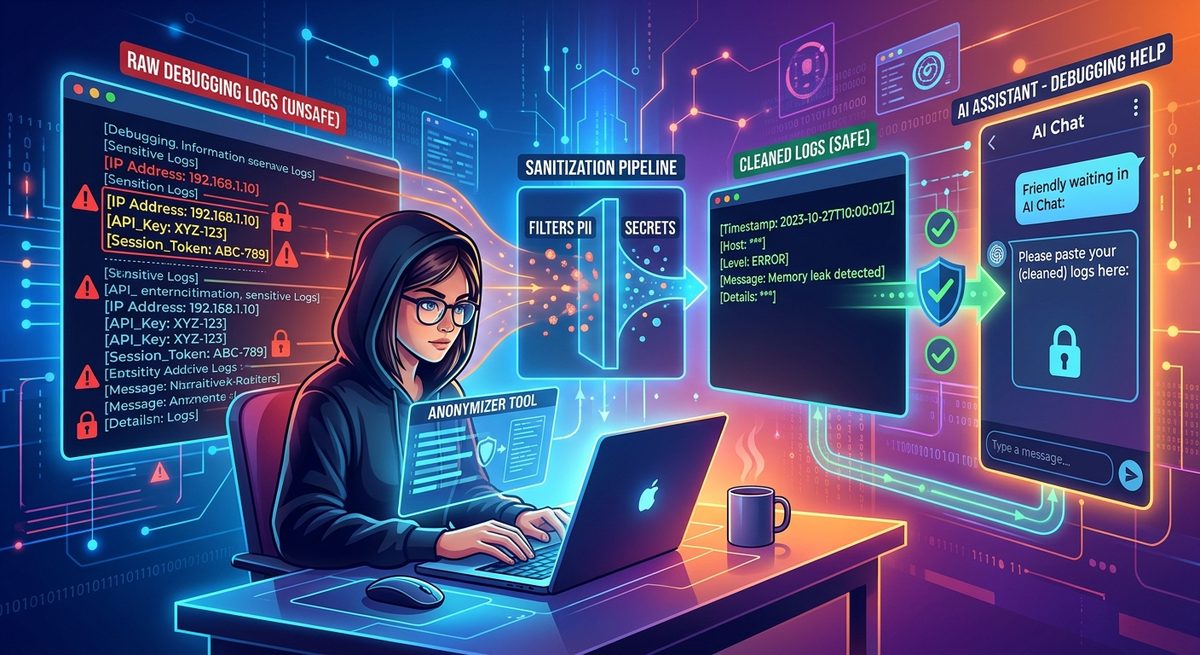
Prepare safer debugging excerpts by removing secrets and personal data, then choosing encryption, expiry, and view limits before using an AI chat tool.
A stack trace can expose more than the bug you are trying to fix. A few lines may contain a working access token, a customer's email address, or an internal hostname. Copying that output into a paste or chat takes seconds. Cleaning up an accidental disclosure can take much longer. A safer workflow starts with a small excerpt, removes information the diagnosis does not need, and treats every place you paste it as a separate disclosure.
Before You Share
- Keep only the log lines needed to explain the failure.
- Replace credentials, personal data, and internal identifiers with consistent placeholders.
- Choose paste controls carefully, then review chat permissions separately.
Start With the Failure You Need to Explain
Before copying anything, write down the question you need answered. “Why does this request time out after authentication?” gives you a useful boundary. “Can you inspect these logs?” invites a much larger disclosure and often produces a less focused diagnosis.
Find the first meaningful error and work outward. Include enough context to show what happened immediately before it, the error itself, and any relevant retry or cleanup behavior. An entire application startup sequence rarely helps explain one failed database query.
Keep technical details that affect the diagnosis. These might include the exception type, runtime version, HTTP status, elapsed time, and relevant configuration flags. Preserve the sequence of events. If two messages belong to the same request, their relationship may matter more than their original identifiers.
Work on a local copy. Keep the original logs inside their approved storage location so you can check details later. Your working excerpt should become a small, reviewable artifact rather than another copy of the full incident record.
Remove Credentials Before Editing Anything Else
Search for secrets first. Check authorization headers, cookies, API keys, passwords, database connection strings, private keys, webhook signing secrets, and temporary credentials. Request URLs deserve attention too. Query parameters sometimes carry tokens or signed access details.
Remove the complete secret value. Leaving the beginning or end of a credential usually adds little debugging value and still exposes part of it. Use clear replacements such as [ACCESS_TOKEN_REMOVED] or [DATABASE_PASSWORD_REMOVED].
Keep surrounding structure when it explains the failure. If you are troubleshooting header parsing, showing Authorization: Bearer [TOKEN_REMOVED] preserves the authentication scheme. If a configuration value is missing, show that it is empty rather than replacing it with a placeholder that makes it look populated.
Encoded data needs the same scrutiny. Base64 text can contain credentials or personal information. JSON Web Tokens can expose readable claims even when their signatures cannot be changed. Avoid sharing a live token to demonstrate a formatting issue. Build a dummy value with the same relevant structure instead.
If a working credential has already reached an unauthorized destination, deleting the message is not enough. Revoke or rotate the credential through your normal incident process. Sanitizing the next excerpt does not invalidate the earlier copy.
Replace Personal Data and Internal Identifiers Consistently
Look beyond obvious names and email addresses. Request bodies may contain shipping details, support messages, account numbers, location data, or uploaded filenames. Stack traces can include local paths that expose employee usernames. Response bodies may reveal records that never appeared in the request.
Replace identifying values with stable placeholders. Use USER_01 for the same person throughout the excerpt and USER_02 for another. This preserves relationships without carrying the original values into the shared text.
Apply the same approach to internal infrastructure. Replace private hostnames, tenant identifiers, project names, repository paths, and deployment labels when their exact values are unnecessary. A hostname can become service-a.internal.invalid. An email address can become [email protected].
Preserve distinctions that affect the bug. Two different tenants should not become one placeholder if the problem involves tenant isolation. A case mismatch should remain visible through fictional values with the same mismatch. Sanitization should remove identity while retaining the behavior you need to explain.
Timestamps need judgment too. Exact times can connect an excerpt to a real incident or customer action. When absolute time does not matter, replace timestamps with relative offsets such as T+0ms and T+850ms. Preserve time zones and clock differences if those are part of the failure.
Keep the Excerpt Technically Useful
Heavy editing can accidentally erase the evidence. A timeout report still needs durations. A serialization problem may need field types, missing values, or unusual characters. A permissions failure may depend on the difference between an absent role and an empty role list.
Consider this compact excerpt:
T+0ms request_id=REQ_01 route=/v1/items method=POST
T+12ms upstream=service-a.internal.invalid auth_scheme=Bearer
T+2015ms request_id=REQ_01 error=ReadTimeout timeout_ms=2000
T+2017ms request_id=REQ_01 response_status=504
It retains the request relationship, sequence, timeout setting, and final response. It does not need a real customer identifier or credential. Add a short note explaining that identifiers were replaced consistently and timestamps were converted to relative offsets.
When the original payload is too sensitive, create a synthetic reproduction. Use invented records and a minimal configuration that triggers the same error. Check that it still fails in the relevant way before asking someone else to diagnose it.
Treat the AI Chat as a Separate Sharing Decision
Once the excerpt is sanitized, an approved troubleshooting chat may help you reason through it. If you use Claude Opus through debugging chat, provide the minimal excerpt alongside the expected behavior, actual behavior, and your specific question. Keep any use within your organization's rules for external tools.
Paste privacy controls do not protect text copied into another service. An encrypted paste can protect its stored content within the limits of its implementation. After you decrypt that content and submit it to a chat tool, the chat receives a separate copy. The paste's password, expiration time, and view limit do not travel with it.
Review the destination's applicable data handling terms and account settings before submitting work material. Do not assume a paste's privacy features say anything about the chat's retention or access policies. If you cannot establish that the destination is permitted for the data, use a synthetic example or continue inside an approved environment.
Choose Encryption Based on What It Protects
Encryption controls answer different questions. HTTPS protects data in transit between your browser and a service. Browser-side encryption can encrypt the paste before upload, depending on the implementation. Password protection may restrict access, but the label alone does not tell you where encryption happens or who holds the keys.
Check how your chosen tool handles the decryption secret. Some designs place it in the URL fragment, the portion after #. That fragment is not included in a normal HTTP request to the server, but anyone who receives the complete link may still receive what they need to decrypt the paste. Treat that full link as sensitive.
If a separate password is available, use a strong, distinct value. Sending the link and password through separate approved channels can reduce exposure from a forwarded message. It does not prevent an authorized recipient from copying the decrypted content.
Set Expiry and View Limits for the Actual Handoff
Choose the shortest expiration window that fits the collaboration. A live debugging session may need only a brief window. A teammate in another time zone may need longer. Avoid leaving an excerpt available indefinitely because you have not decided when it should disappear.
Check what expiration means for the tool you use. Loss of access through a link does not establish that every backup, downloaded copy, screenshot, or recipient copy has been removed. Treat expiry as a way to reduce ongoing availability.
View limits can help with a narrow handoff, but they need care. Link previews, security scanners, browser refreshes, and failed opens may affect the count, depending on how the service measures access. A single-view paste can become unavailable before the intended reader finishes opening it.
For a live exchange, coordinate when the recipient will open the link. For asynchronous work, allow enough access for the expected review without creating a needlessly broad window. Neither a view limit nor a password verifies a recipient's identity unless the service provides a separate identity check.
Give the Finished Text One Last Read
Read the complete excerpt after sanitizing it. Check the first and last lines, wrapped messages, multiline exceptions, and any attached configuration. Search again for credential labels, email patterns, internal domain suffixes, and known customer identifiers. Automated detection helps, but pattern matching can miss unusual secrets and context-dependent personal data.
Review the paste title and filename too. A clean excerpt can still leak a customer name through its title. Remove unrelated incident details from the surrounding explanation and confirm that placeholders remain consistent.
Copy the final text into your prompt and review that prompt once more. Developers sometimes sanitize the log successfully, then add a real account number or hostname while explaining the problem. The review needs to cover everything you submit.
Leave a Smaller Trail Behind the Fix
After the debugging session, remove the paste when it is no longer needed and confirm any follow-up actions for exposed credentials. Save the useful diagnosis in your approved issue tracker or internal documentation using the same sanitized details.
A good debugging excerpt gives the reader enough evidence to reason about the failure. It does not need to carry the identities, credentials, or infrastructure details attached to the original event. Keep that distinction clear, and encryption, expiry, and view limits become useful layers around an already careful sharing decision.
Where to go from here
The Paste Library
Pastebin.ai's own reference guides on visibility, retention, encryption and developer text formats.
Privacy & Security
Encryption, secret scanning, expiration, access control, and safer handling of sensitive text in pastebin workflows.
Create a paste
Put the idea to work: paste the text and choose the visibility and expiry it actually needs.
The Journal collects contributed writing. For Pastebin.ai's own reference material, browse The Paste Library, or start a new paste.